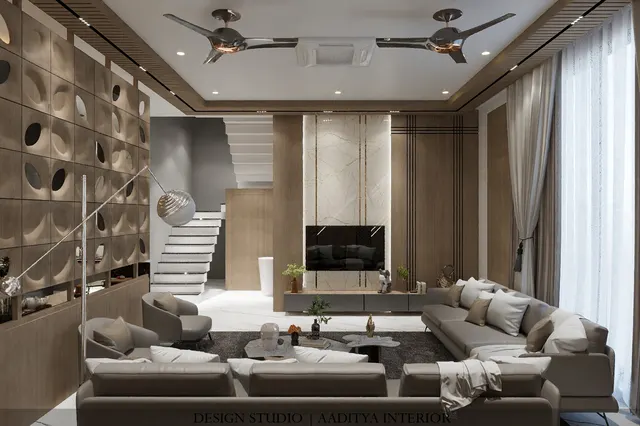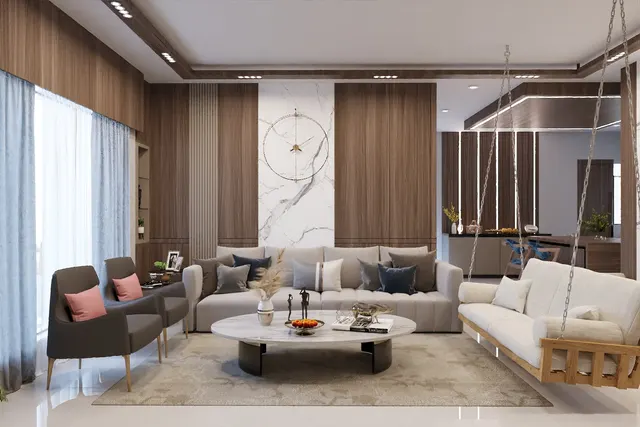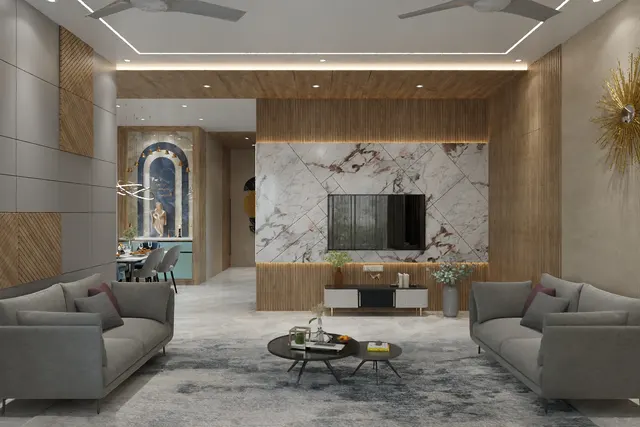



Home automation in India has moved from a luxury-villa extra to a question in almost every interior brief. Builders advertise smart flats, phone shops sell smart bulbs at the billing counter, and clients arrive at the first meeting with a screenshot of a wall-mounted touch panel. Yet the most common smart-home story in Indian homes is not a success story. It is the family whose expensive touch switches stopped responding after a firmware update, the voice assistant that only one person in the house uses, or the curtain motor that was added after the false ceiling was finished and now has a visible wire running down the wall.
The problem is rarely the technology. It is that automation is chosen as a gadget rather than planned as a building service, like plumbing or air-conditioning. Indian homes add their own conditions: power cuts and inverter backup, voltage fluctuation, older wiring without a neutral wire at the switchboard, overhead water tanks with pumps that someone has to remember to switch off, domestic staff who need access without sharing a password, and elderly parents who will never use an app. A smart home that ignores these conditions becomes an annoyance within a year.
This article separates what is genuinely worth automating in an Indian home from what is a novelty. It explains how the main systems work, how wired and wireless approaches differ, what has to be decided before the walls are plastered, where sensors and panels should be mounted, and what each layer costs at indicative October 2026 prices. The aim is a home that works better on an ordinary Tuesday, not one that only impresses visitors.
A short history of the smart home
The idea of a house that responds to its occupants is older than the internet. In the mid-1970s, the X10 system sent simple on and off commands over a home's existing electrical wiring, letting a lamp or appliance be switched from a remote module. It was cheap and clever but unreliable, because electrical noise from motors and appliances corrupted its signals. Through the 1980s and 1990s, building automation grew separately in offices and hotels, where wired control buses linked lighting, blinds and heating. The European KNX standard, which emerged in the 1990s from earlier bus systems, became the reference for professional wired home and building control and is still widely used in premium projects, including in India.
The 2000s brought low-power wireless mesh networks such as Zigbee and Z-Wave, in which each mains-powered device relays signals to the next, so a house can be covered without new wires. The 2010s brought the shift that made automation a consumer product: cheap Wi-Fi chips, smartphone apps and voice assistants. Smart plugs and bulbs could be bought off the shelf and set up in minutes. The cost was fragmentation — every brand had its own app, its own cloud and its own rules, and devices from different makers often refused to work together.
Matter, the interoperability standard published by the Connectivity Standards Alliance in 2022, is the industry's attempt to fix that fragmentation. A Matter-certified device is designed to work with any Matter-compatible controller, and it can operate over the local network rather than depending entirely on a remote cloud server. Adoption is still growing, and not every device category is covered equally, but for a family planning a home in 2026 it is the single most useful label to look for on a wireless device.
How a smart home works: four layers
Every smart home, from a single smart plug to a fully wired villa, is built from the same four layers. The first is devices: the switches, relays, sensors, locks, motors and plugs that actually do something or notice something. The second is the network that carries their messages — Wi-Fi, a low-power mesh such as Zigbee or Thread, Bluetooth, or a dedicated wire. The third is the controller or hub, the brain that holds the rules: if the main door opens after sunset, switch on the foyer light. The fourth is the interface: the wall switch, the touch panel, the phone app, the voice assistant or simply the schedule that runs without anyone touching anything.
Most disappointments come from ignoring one layer. A house full of Wi-Fi devices on a single cheap router will see devices drop off the network. A system whose rules live only in a foreign cloud server stops working when the internet is down — which in many Indian cities is also when the power has just come back on the inverter. And a system whose only interface is a phone app fails the most important users: the parent who wants a light on, the guest, the cook, the driver. The best homes keep a physical switch for every light and treat the app as an extra, not a replacement.
| Network / protocol | How it connects | Needs a hub? | Strengths | Weak points | Best used for |
|---|---|---|---|---|---|
| Wi-Fi | Each device joins the home router | No (cloud or app) | Cheap, easy, no extra hardware | Router overload beyond about 25–40 devices; often cloud-dependent | A few plugs, cameras, IR blasters, small flats |
| Zigbee | Low-power mesh; mains devices relay signals | Yes | Low power, battery sensors last long, mature | Brands vary in compatibility; hub is one more box | Sensors, switches, larger homes |
| Thread (with Matter) | Low-power IP mesh | Yes (border router) | Local, fast, interoperable under Matter | Device range still growing in India | New installations from 2026 onward |
| Bluetooth mesh | Short-range mesh, phone nearby | Optional | Simple set-up, no router dependence | Short range, limited remote access | Lighting groups, locks |
| Wired bus (KNX or proprietary) | Dedicated control cable to every point | Central controller | Very reliable, long life, scales to villas | Costly, must be planned before plastering | Villas, penthouses, hotels |
| IR / RF remotes | Blaster mimics the remote control | Blaster acts as bridge | Makes old ACs and TVs controllable | One-way; no feedback whether it worked | Split ACs, TVs, set-top boxes |
What is genuinely worth automating in an Indian home
The test Aaditya Interior applies is simple: an automation is worth it if it removes a daily chore, prevents a costly mistake, or improves safety — and if it still works when the internet is down. Measured against that test, a handful of automations earn their place in almost every Indian home, a second group is worthwhile in specific situations, and a third group is mostly novelty.
Tier 1 — worth it in almost every home
The video door phone tops the list. It lets anyone in the house see who is at the door before opening it, and app-linked models let a family answer a courier while away. Second is the water pump and tank automation that is uniquely Indian: a level controller that starts the pump when the overhead tank drops and stops it before overflow saves water, electricity and the daily ritual of someone shouting to switch the motor off. Third are motion-sensor lights in the places where hands are full or switches are hard to find: the foyer, the passage to the bedrooms, the toilet at night, the store room and the wardrobe interior. Fourth is a timer or smart switch on the geyser, which is one of the heaviest loads in the house and is very often left on for hours.
Tier 2 — worth it in the right situation
Motorised curtains justify themselves on large or high windows — a double-height living room, a full-height sliding door, a bedroom where blackout curtains need closing every morning. A smart lock suits families with staff, elderly parents or frequent guests, because codes or app access can be shared and withdrawn without copying keys. Air-conditioner control through an IR blaster or a smart AC lets a bedroom be cooled before arrival and switched off if someone forgets. Lighting scenes — a single press for evening, movie or night — earn their place in the living, dining and master bedroom, where layered lighting otherwise means four or five switches. Water-leak sensors under the kitchen sink and behind the washing machine, and a gas-leak detector in the kitchen, are low-cost safety upgrades.
Tier 3 — mostly novelty
Automating every switch in the house, including storerooms and balconies that are used twice a week, adds cost and failure points without adding comfort. Voice control as the main way to operate lights rarely survives the first year in a multi-generational home. Smart appliances whose only smart feature is an app notification, smart mirrors and colour-changing lights in bedrooms are usually bought for the showroom effect. None of these are wrong, but none should be bought before the Tier 1 list is done.
| Automation | Problem it solves | Value tier | Works offline? | Indicative cost (Oct 2026) |
|---|---|---|---|---|
| Video door phone (wired or Wi-Fi) | See and speak to visitors before opening | Tier 1 | Yes, at the indoor screen | ₹6,000–30,000 |
| Water tank level controller / pump automation | Overflow, dry running, forgotten motor | Tier 1 | Yes | ₹2,500–8,000 |
| Motion-sensor lighting (foyer, passage, toilet, wardrobe) | Hands full, night-time safety | Tier 1 | Yes | ₹1,000–3,500 per sensor |
| Geyser timer or smart switch | Geyser left on for hours | Tier 1 | Yes (schedule) | ₹1,500–4,500 |
| Smart door lock with mechanical key | Key sharing with staff, guests, elders | Tier 2 | Yes (keypad, key) | ₹10,000–45,000 |
| Motorised curtain or blind (per window) | Large, high or blackout curtains | Tier 2 | Yes (wall switch) | ₹12,000–35,000 |
| AC control (IR blaster or smart AC) | Pre-cooling, forgotten ACs | Tier 2 | Partly | ₹1,500–3,500 per blaster |
| Lighting scenes and dimming (living, dining, master) | Five switches for one mood | Tier 2 | Yes, on wall keypad | ₹4,000–15,000 per board |
| Water-leak and gas-leak sensors | Hidden leaks, gas safety | Tier 2 | Local alarm yes | ₹1,200–5,000 each |
| Voice control for everything, smart mirrors | Novelty | Tier 3 | Usually no | Varies widely |
Wired or wireless: choosing the system
The biggest decision is not the brand but the architecture. A wireless system — Wi-Fi, Zigbee, Thread or Bluetooth devices — can be added to an existing home with little or no civil work: smart modules fit behind existing switch plates or replace the plates entirely, sensors stick to walls, and a hub sits on a shelf. A wired system runs a dedicated control cable from every switch position, sensor and motor back to a central panel, where relays and dimmers do the switching. It must be planned at the electrical-drawing stage, before plastering and before the false ceiling closes.
Wireless is right for most flats, for renovations, for rented homes and for families who want to start small and add later. Wired is right for villas, penthouses and large bungalows where dozens of circuits, multiple floors and long service lives justify the cost, and where a professional integrator will maintain the system. Many good homes use a hybrid: conventional wiring everywhere, with deeper boxes and neutral wires at every board so smart modules can be added later, plus a few wired runs for curtains, the door phone and network points.
| Factor | Wireless retrofit | Wired (bus or central relay) | Hybrid (ready-for-smart) |
|---|---|---|---|
| When it is decided | Any time, even after moving in | At electrical drawing stage, before plastering | At wiring stage; devices added later |
| Civil work | Minimal | Conduits and cables to every point | Neutral and deeper boxes; a few extra conduits |
| Reliability | Good with a strong network; batteries to replace | Highest; no batteries, no radio congestion | Good; depends on devices chosen later |
| Indicative cost, 3BHK | ₹60,000–2,00,000 for a focused package | ₹3,00,000–10,00,000+ depending on scope | ₹15,000–40,000 extra at wiring stage |
| Who maintains it | Family or local electrician | Integrator under an annual contract | Family, with an electrician |
| Best for | Flats, renovations, rentals | Villas, penthouses, bungalows | Most new flats and homes |
Fig. 2 shows the two details that decide whether a home can be made smart later without breaking walls. The first is the neutral wire. Conventional switching only needs the phase wire to reach the switch and a switched wire to return to the light; the neutral goes straight to the light fitting. Most smart switch modules, however, need a permanent supply of their own, and that means a neutral at the switchboard. No-neutral modules exist, but they are more limited and can cause LED lamps to flicker or glow faintly. The second detail is box depth. A relay module behind a switch plate needs space and some air around it; shallow boxes packed with wires make installation hard and modules run hot. Specifying a neutral and a deeper box at every board costs little at the wiring stage and keeps every option open.
Planning automation before the walls close
The stage at which automation is planned decides its cost more than any brand choice. Before plastering, a 20 or 25 mm conduit costs a few hundred rupees per point; after plastering and painting, the same run means chasing walls, re-plastering and repainting. Before the false ceiling is closed, a power point at the curtain pelmet is a ten-minute job; afterwards, it means cutting gypsum. The checklist below is what an interior and electrical drawing should settle before civil work closes.
| Item to plan | Where | Typical provision | Why now |
|---|---|---|---|
| Neutral wire | Every switchboard | Phase, neutral and earth to each board | Most smart modules need neutral; adding later means re-wiring |
| Deeper switch boxes | Living, dining, bedrooms, foyer | Boxes deep enough for the chosen module | Retrofit modules may not fit shallow boxes |
| Power at curtain pelmet | Every large or high window | 5/6 A point inside the pelmet, 150–200 mm deep pelmet | Motor needs power hidden behind the curtain |
| Network (CAT6) points | TV wall, study, ceiling for access points | One or two data points per main room | Wired access points keep Wi-Fi strong |
| Rack or hub location | Utility, store or loft | Ventilated shelf with 2–3 sockets on inverter supply | Router and hub must stay on during power cuts |
| Video door phone conduit | Main door to indoor screen | 20 mm conduit, screen at 1400–1500 mm | Cable runs inside the wall |
| Pump and tank sensor wiring | Overhead tank to pump starter | Sensor cable in conduit along the shaft | Avoids loose wires on the terrace |
| Inverter circuits | Lights, router, hub, door phone | Smart and network loads on backup | Automation that dies with the power is useless |
The plan in Fig. 3 shows a typical outcome of the tier exercise for a 3BHK. The main door gets a video door phone and a smart lock with a mechanical key override. The foyer and the bedroom passage get ceiling-mounted motion sensors that switch a low-level light at night and the main light in the evening. The master bedroom and the living-room sliding door get curtain motors because those curtains are large and used daily. Two ceiling access points, wired back to the router, keep the network strong in every room, and the hub and router sit on an inverter-backed circuit in the kitchen loft or utility. Everything else stays on conventional switches with neutral wires, ready for later.
Mounting heights and positions
Automation hardware is part of the wall and ceiling design, and it should be dimensioned on drawings like any switch or light. Motion sensors work best when they look across the path of movement rather than straight down it; a ceiling sensor in a passage should sit near the centre line, away from air-conditioner outlets and direct sunlight, which can cause false triggers. Touch panels and scene keypads belong at the same height as ordinary switch plates, so the wall reads as one line. Curtain motors need a pelmet deep enough for the track and the motor head, with a power point inside it.
Two of the heights in Fig. 4 deserve comment. Gas detectors for LPG are mounted low, because LPG is heavier than air and collects near the floor; detectors for piped natural gas, which is lighter than air, go high. Families moving from cylinders to piped gas should check that the detector matches the fuel. Second, smart locks sit at the normal handle height of about 1000 mm, but they need a door of suitable thickness and a frame that closes squarely; a sagging door that has to be lifted to lock defeats any electronic lock. Fixing the door first is part of the job.
| Device | Mounting position | Typical height or offset | Common mistake |
|---|---|---|---|
| Ceiling motion sensor | Centre of passage or foyer, away from AC throw | On ceiling, 2400–3000 floor to ceiling | Placed over the AC outlet — false triggers |
| Wall motion sensor | Corner, looking across the path | 2000–2400 mm | Facing a window with direct sun |
| Scene keypad / touch panel | Beside the door, latch side | 1100–1200 mm, 150–200 mm from frame | Different height from other switches |
| Curtain motor and track | Inside pelmet | Pelmet 200–250 deep, 150–200 drop | No power point inside the pelmet |
| Video door phone screen | Foyer or kitchen-side wall | Screen centre 1400–1500 mm | Placed where no one hears it |
| LPG detector | Kitchen, near cylinder and hob | Low, near floor level | Mounted high like a smoke alarm |
| Wi-Fi access point | Ceiling of corridor or main room | Central to the rooms it serves | Router hidden inside a steel cabinet |
What it costs: from a single device to a full system
Costs fall into three bands. A starter set — video door phone, pump controller, two or three motion sensors and a geyser timer — can be done in most flats for about ₹15,000–45,000 including installation. A focused package for a 3BHK, adding a smart lock, two curtain motors, scene control on three or four boards, AC control in bedrooms and leak sensors, typically lands between ₹60,000 and ₹2,00,000 depending on brands and finishes. A full wired system in a villa or penthouse, with every circuit on central control, multi-room audio and integrated security, starts at a few lakh rupees and rises with scope; at the top end it is priced like air-conditioning, as a building service.
| Package | Typical contents | Home type | Indicative cost (Oct 2026) |
|---|---|---|---|
| Starter | Door phone, pump controller, 2–3 motion sensors, geyser timer | Any flat | ₹15,000–45,000 |
| Focused (recommended) | Starter + smart lock, 2 curtain motors, scenes on 3–4 boards, AC control, leak sensors | 2BHK–3BHK | ₹60,000–2,00,000 |
| Extended wireless | Focused + most lighting circuits, more curtains, cameras | 3BHK–4BHK | ₹2,00,000–4,00,000 |
| Full wired system | All circuits central, keypads, curtains, audio, security integration | Villa, penthouse | ₹3,00,000–10,00,000+ |
| Ready-for-smart provision only | Neutral at boards, deeper boxes, pelmet points, CAT6, inverter circuits | Any new home | ₹15,000–40,000 extra |
The last row is the most important for families who are not ready to spend on devices. Making the wiring ready-for-smart during an interior project costs a small fraction of the electrical budget and avoids the most expensive part of a later upgrade — breaking finished walls and ceilings. Aaditya Interior includes these provisions in the electrical drawing whenever a client mentions automation as a possibility, even years away.
Reliability, privacy and power cuts
A smart home in India has to survive conditions that brochures rarely mention. Power cuts reset routers and hubs, so the network equipment should sit on the inverter or a small UPS, and devices should be checked for how they behave when power returns — a smart bulb that turns itself on at full brightness at three in the morning after a power cut is a real complaint. Voltage spikes damage relay modules, so a surge protection device at the distribution board is sensible. Every lighting circuit should still work from a physical switch if the hub fails.
Privacy and security matter more as more devices join the network. Cameras and door phones should be bought from makers who provide security updates, default passwords must be changed, and smart devices are better placed on a separate guest or IoT network from the family's laptops and phones. Smart locks should always keep a mechanical key or a backup method, and their batteries should be changed on a schedule rather than when the warning appears. None of this is complicated, but it should be part of the handover, not left to chance.
Where the smart home is going
Three shifts are likely to shape the next decade. The first is interoperability: as Matter certification spreads across switches, sensors, locks and curtains, families will be able to mix brands under one controller, and the lock-in that made early smart homes risky will ease. The second is energy: rooftop solar, home batteries and time-of-day electricity tariffs, where they are introduced, make it worthwhile to schedule heavy loads such as geysers, pumps, washing machines and electric-vehicle charging automatically. Automation then becomes an energy tool rather than a convenience tool.
The third shift is quieter and perhaps the most valuable for Indian families: homes that look after people. Sensors that notice when an elderly parent has not moved for an unusual length of time, night lights that guide the way to the toilet, and door alerts that tell a working child that a parent has returned home are already available. The design challenge is to make these supportive rather than intrusive. The underlying principle will not change: automate the problem, not the switch.
Rules for a smart home that works
- Start with problems, not products: list the daily chores, risks and annoyances, then automate only those.
- Keep a physical switch for every light and fan; the app and voice are extras, never the only control.
- Bring a neutral wire to every switchboard and use deeper boxes at the wiring stage, even if no smart devices are bought now.
- Put the router, hub, door phone and network switch on inverter or UPS supply.
- Prefer devices that work locally and carry Matter certification where available; check offline behaviour before buying.
- Plan power points inside pelmets for any large or high window that may get a curtain motor later.
- Choose a smart lock only with a mechanical key or backup, and fix sagging doors before fitting it.
- Put smart devices on a separate network, change every default password and keep firmware updated.
- Write down the system — devices, logins, scenes and installer contact — and hand it over with the house.
Frequently asked questions
Is home automation worth it in India?
Yes, when it is limited to automations that solve daily problems — door access, water pump control, night-time lighting, geyser timing and climate control. Whole-house automation of every switch is worth it mainly in large villas and penthouses where a professional integrator maintains the system. For most flats, a focused package plus smart-ready wiring gives the best value.
How much does home automation cost for a 3BHK?
A focused wireless package for a 3BHK typically costs about ₹60,000–2,00,000 (indicative October 2026), covering a smart lock, door phone, motion sensors, two curtain motors, scene control on a few boards, AC control and leak sensors. Automating most lighting circuits raises it to about ₹2,00,000–4,00,000, and a full wired system usually starts from about ₹3,00,000.
Can I make my home smart without rewiring?
Largely, yes. Smart plugs, smart bulbs, IR blasters for ACs, battery sensors and many retrofit switch modules need no new wiring. The common obstacle is the missing neutral wire at older switchboards; where it is absent, an electrician can often run one through the existing conduit, or no-neutral modules can be used for some circuits, with some limitations.
Do smart switches work without internet?
It depends on the system. Devices that run rules on a local hub, and Matter devices on a local network, keep working without internet; purely cloud-based Wi-Fi devices may lose app and voice control when the connection drops. Any well-designed installation keeps the physical switch working regardless.
Which is better for a flat, wired or wireless automation?
Wireless suits most flats because it needs little civil work and can grow over time. Wired systems are more reliable at large scale but must be planned before plastering and cost considerably more. A practical middle path is conventional wiring made smart-ready, with wireless devices added where they are needed.
Are smart door locks safe?
A good smart lock from a reputable maker, fitted to a solid door with a well-aligned frame, is as secure as a conventional lock for most homes, and adds the ability to share and withdraw access. Choose one with a mechanical key override, change batteries on a schedule, and keep its app and firmware updated.
Sources & standards
- Connectivity Standards Alliance — Matter specification and certification programme (Matter 1.0 published 2022)
- KNX Association — KNX standard for home and building control (EN 50090, ISO/IEC 14543-3)
- Bureau of Indian Standards — IS 732:2019, Code of practice for electrical wiring installations
- National Building Code of India 2016, Part 8 (Building Services), Section 2 — Electrical and allied installations
- Bureau of Energy Efficiency — star labelling for air-conditioners and storage water heaters
- Time-Saver Standards for Building Types — building services and controls planning
- Price ranges: indicative October 2026 estimates — confirm locally before budgeting